 B-Admin-Time
Sign-up Sheet and Waitlist for Sports Groups
When a group has more people who want to play than there are spots on the court, someone has to decide who plays. B-Admin-Time enforces the spot limit automatically and keeps a waitlist, so the organizer doesn’t have to count sign-ups in a group chat thread by hand.
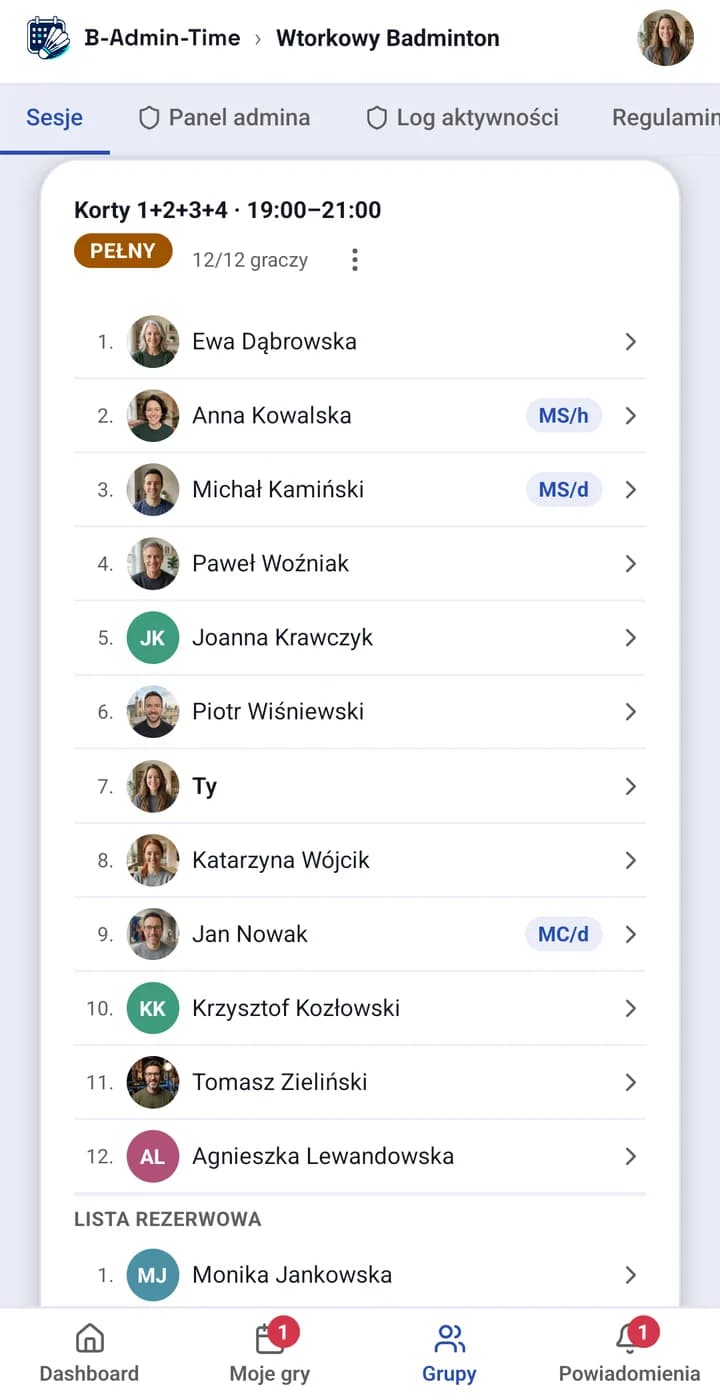
The spot limit enforces itself
A session is split into courts and time slots. Players see availability in real time and sign up themselves — once the limit is reached, further sign-ups go to the waitlist automatically, instead of overriding the limit or needing a manual check.
The waitlist and sign-up lottery
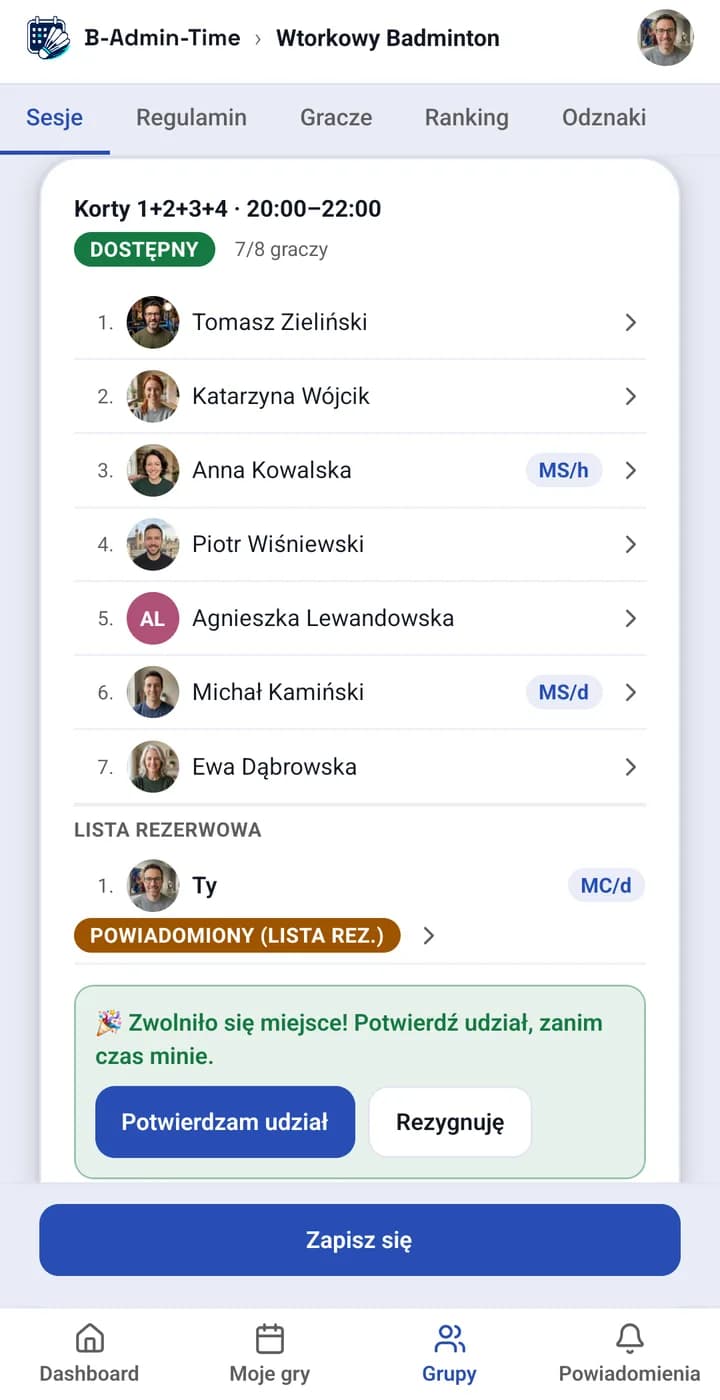
- When someone drops out, the first person on the waitlist gets an offer for the spot with a limited time to confirm (60 minutes by default) — if they miss it, the offer automatically passes to the next person in the queue.
- The sign-up lottery (Regular and Pro plans) gives everyone who signed up during the sign-up window an equal chance at a spot, instead of rewarding whoever tapped fastest.
- A player looking for a replacement can mark that in the session instead of messaging the group separately.
Sign-ups work together with settlements and notifications about freed-up spots. More on the mechanism itself: first come first served, waitlist or lottery — which to choose, or how to add a guest without an app account to a session (Regular and Pro plans). See also the full pricing.
“Automating the whole process of managing players saves a great deal of time too — signing up and out of games, handling the waitlist, finding a replacement. Before, it meant keeping track of changes by hand in the chat and the spreadsheet; now most of it happens automatically, with no extra effort from the organizer.”
“I regularly use the option of adding players with pre-reserved spots, as well as guests.”
No card required. No commitment.
Frequently asked questions
What happens when someone drops out of a game?
The freed-up spot automatically goes to the first person on the waitlist, who has a set amount of time (60 minutes by default; a group admin can change it in group settings) to confirm in the app. If they miss it, the offer automatically passes to the next person — nobody has to be told by hand in the group chat.
How does the sign-up lottery work?
When more people want to play than there are spots, you can turn on a lottery instead of “first come, first served” — everyone who signed up during the sign-up window has an equal chance at a spot, and only then does the rest go on the waitlist.
Can I set a spot limit per court or slot?
Yes — a session is split into courts and time slots, each with its own spot limit, so sign-ups enforce the limit automatically.
Which plan includes the sign-up lottery and guests without an account?
Basic sign-ups and the waitlist are available on every plan. The sign-up lottery and adding guests without an account to a session require the Regular plan or higher.